Home | Products | Download | Purchase | Support 


XD++ Library
Features Tour What's New
Download Area
Purchase
License agreement
General Q & A
 
UCCDraw ActiveX
Features Tour
Download Area
Purchase
DocVizor
Features Tour
Why need DocVizor
Screen Shots
Download Area
Purchase
TFC Library
Features Tour
Screen Shots
Download Area
Purchase
Free Products
A Cool Year selector
Project backup tool
Rename project tool
Replace all in files tool
A cool color picker
Technical Support
General Q & A
Report A Bug
Suggestions
Discussion Board
Contact Us

Links

Get Ready to Unleash the Power of UCanCode .NET


Rich Text Drawing, Printing Preview and Printing (GDI only)


Free Products List:

Author homepage:
UCanCode Software (www.ucancode.net)

Introduction

"Why the drawing and printing preview of my rich text work fine, but when I tried to print to paper, it cann't work?"

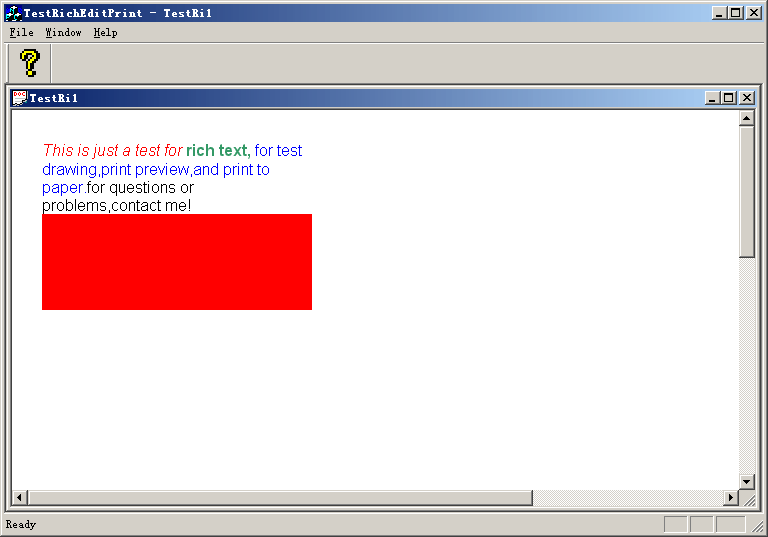
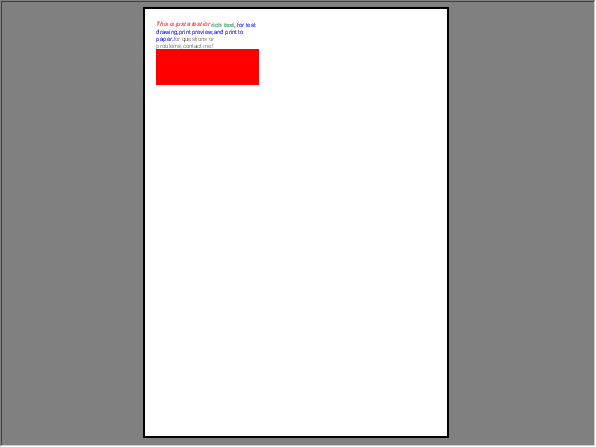
I had found that there are many people asked for this question many many times, I hope this article and codes can help you. This small application demoed how to draw rich text on the canvas, and then you can print preview or print to paper  with the same look. Full source codes are contained within the zip file. There is no limit, you can use it freely.

How it works?

1.we defined a rich text control within the header file of class: CTestRichEditPrintView,as below:

[code]

// CRichEditCtrl for drawing.
CRichEditCtrl m_DrawRTF;

[/code]

2.We modify the OnDraw method of class: CTestRichEditPrintView, the following codes are used for drawing to canvas:

[code]

m_nLogPixelsX = ::GetDeviceCaps(pDC->m_hDC, LOGPIXELSX);
m_nLogPixelsY = ::GetDeviceCaps(pDC->m_hDC, LOGPIXELSY);

fmtRange.hdcTarget = pDC->m_hAttribDC;
fmtRange.hdc = pDC->m_hDC;

CRect rcPage;
GetClientRect(&rcPage);
if(m_bPrint) 
{
rcPage = rcPrint;
}

RecalcRect(rcPage);
fmtRange.rcPage = rcPage;
rectText.bottom += foDefaultFontHeight;
RecalcRect(rectText);
fmtRange.rc = rectText;

CHARRANGE chrg = { 0, -1 };
fmtRange.chrg = chrg;

m_DrawRTF.FormatRange(NULL, FALSE);
m_DrawRTF.FormatRange(&fmtRange, TRUE);
m_DrawRTF.FormatRange(NULL, FALSE);

[/code]

These codes can be used for printing preview, it will works fine. But we cann't used them for printing to paper.

3.For printing to paper mode, we use the following codes:

[code]

szWinExt = pDC->GetWindowExt();
szViewExt = pDC->GetViewportExt();
nMapMode = pDC->SetMapMode(MM_ANISOTROPIC);
int printLogx = pDC->GetDeviceCaps(LOGPIXELSX);
int printLogy = pDC->GetDeviceCaps(LOGPIXELSY);
pDC->SetWindowExt(printLogx, printLogy);
pDC->SetViewportExt(CSize(printLogx, printLogy));

fmtRange.hdcTarget = pDC->m_hAttribDC;
fmtRange.hdc = pDC->m_hDC;

CRect rcPage;
GetClientRect(&rcPage);
if(m_bPrint) 
{
rcPage = rcPrint;
}

RecalcRect(rcPage);
fmtRange.rcPage = rcPage;
rectText.bottom += foDefaultFontHeight;
RecalcRect(rectText);
fmtRange.rc = rectText;

CHARRANGE chrg = { 0, -1 };
fmtRange.chrg = chrg;

m_DrawRTF.FormatRange(NULL, FALSE);
m_DrawRTF.FormatRange(&fmtRange, TRUE);
m_DrawRTF.FormatRange(NULL, FALSE);

pDC->SetMapMode(nMapMode);
pDC->SetWindowExt(szWinExt);
pDC->SetViewportExt(szViewExt);

[/code]

we must change the map mode, window ext and viewport ext before start to print, and when we finish to print, we need get it back.


[ Home | Products | Download Area | Purchase | SupportContact us ]


Copyright ?1998-2009 UCanCode.Net Software, all rights reserved.
Other product and company names herein may be the trademarks of their respective owners.

Please direct your questions or comments to webmaster@ucancode.com