Home | Products | Download | Purchase | Support 


XD++Library
Features  
What's new

Components
Commands
Properties
Dialog
View
Arrows
Windows
Why need XD++
Screen Shots
Download Area
Purchase
License agreement
General Q & A  
UCCDraw ActiveX
Features Tour
Download Area
Purchase
DocVizor
Features Tour
Why need DocVizor
Screen Shots
Download Area
Purchase
TFC Library
Features Tour
Screen Shots
Download Area
Purchase
Free Products
A Cool Year selector
Project backup tool
Rename project tool
Replace all in files tool
A cool color picker
Technical Support
General Q & A
Report A Bug
Suggestions
Discussion Board
Contact Us

Links

Get Ready to Unleash the Power of UCanCode .NET


Product Information:

"The only Flow/Diagramming Kits that provides full source code of components for MFC and ActiveX in a single package!"


E-XD++ MFC/C++ Library Enterprise Edition!
The latest and the best Flow/Diagram source code kits from ucancode! it includes all the features of the following three products:
 
XD++ MFC Library Standard Edition
 
XD++ MFC Library Professional Edition
 
E-XD++ MFC Library Professional Edition

and it also includes the following features:

"To date, the reliability and performance of the XD++ MFC Class Library have been tested through many kinds of diagramming/flowchart- related software of ucancode customers around the World. The XD++ MFC Class Library now used in over 40 countries!"

Introduction

Recent New features:

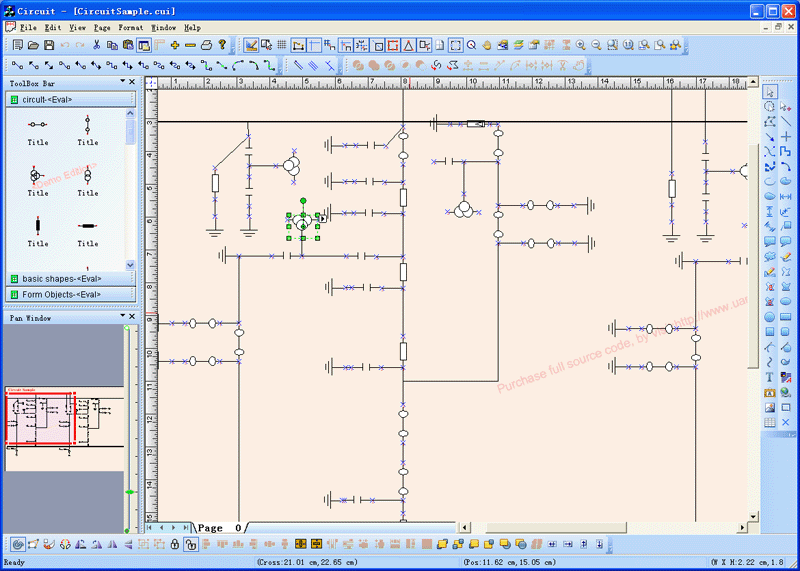
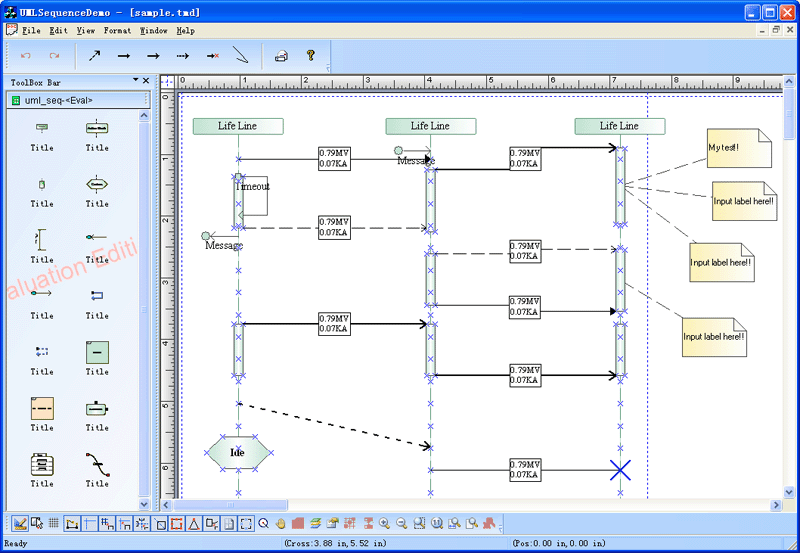
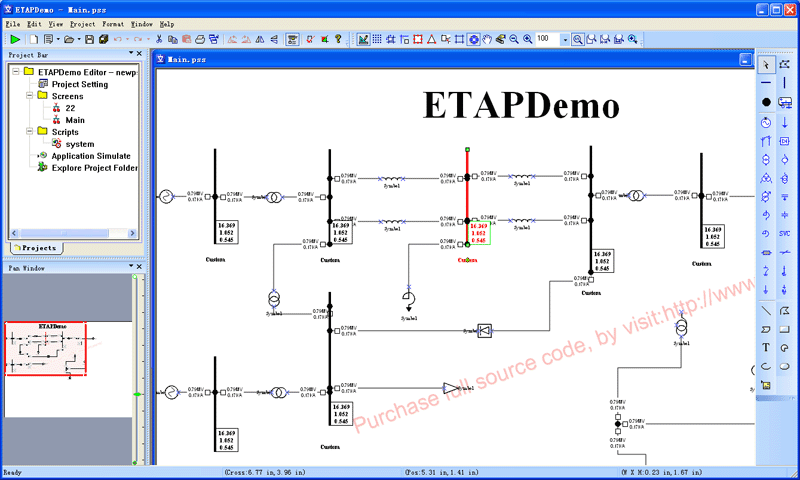
1.New sample circuit diagram is added, to showing how to develop circuit like application:

2.A new LabDemo sample is added, to show how to create complex diagram:

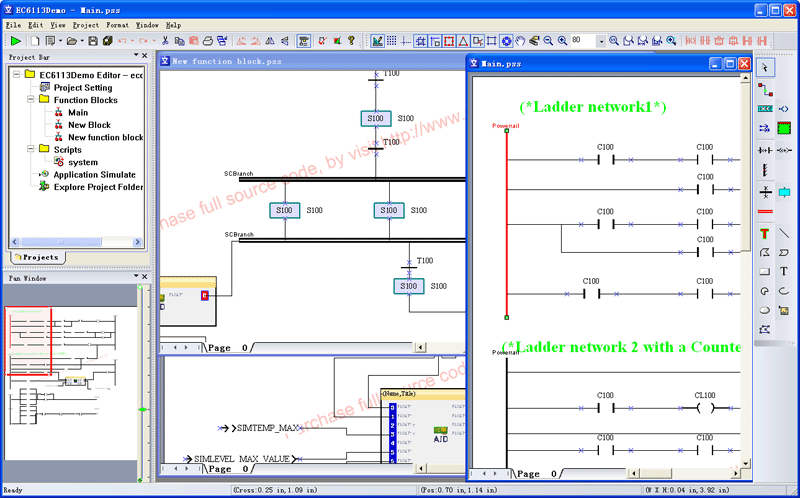
3.A new ProcessFlow sample is added, to help you build process flow like application:

4.A new ProcessSimulatorDemo sample is added, to show how to create simulator like application:

5.A new trafficedemo sample is added:

6.E-XD++ MFC Class Library Enterprise Edition now supports GDI+ Skin, with this skin, it will give your application a more cool look, E-XD++ MFC Class Library  is the only source code kit that use both GDI+ and GDI to draw all the same shapes with the same look feel. If you want your E-XD++ MFC Class Library  Application with GDI+ look like, only the following line code need to be added:

FOInit(RUNTIME_CLASS(CFOPGDIPlusProxy));

See all the samples within Prebuild_GDIPlus,with the following dialog to switch:

7.E-XD++ Enterprise Edition now supports insert OLE shapes to the canvas, all you need to do is to change your application's document's base class from CDocument to COleDocument, below is a sample:

8.E-XD++ Enterprise Edition now supports editing Rich Text shape on the canvas, you can add it by code or by mouse, its class is CFOPRichEditShape, as below:

9.E-XD++ Enterprise Edition now supports free image rotation, below is:

10.With the following dialog, you can adjust the bright/const/gamma/red/blue/green of the image:

11.E-XD++ Enterprise Edition now supports visio 2003 like freedom drawing feature, if you draw a line at first,then if you draw another curve line that use one of the end point of the previous line as start point or end point,the two line will link to a single shape, as below show:

It will be very useful when you create very complex shape, such as the shape below:

12.The following multiple pages based application that developed with E-XD++ MFC/VC++ Library Enterprise Edition will support page preview:

13.The real project (EFormDesigner and EFormReader) that developed with E-XD++ MFC/VC++ Library Enterprise Edition now with database support, when you fill the data of the form that designed with EFormDesigner can be saved to database,as below:

14.E-XD++ MFC/VC++ Library Enterprise Edition now supports two type of design modes, one is the "Normal", the other is "Master", with the "normal" mode, you can design the diagram normally, but with "Master" mode, it will hide all the shapes on the normal mode and let you to editing the shapes on the background of the canvas, as below showing:

1).On "Master" mode, we can edit the background and place a bitmap to the background:

2).Now we switch to normal mode, the bitmap will not allow to be edited:

15.E-XD++ MFC/VC++ Class Library ships with a new Visio like template selection window, with this window, you can customize it to make building  template support application quickly and easily, as below:

16. E-XD++ MFC/VC++ Class Library ships with a new Microsoft Office like fontwork shape, as below:

17.A new class CFOPAdvAnchorShape is added, if you want to create more complex custom shape that with multiple anchor points, it will be very easy, as below:

18.E-XD++ MFC/VC++ Class Library Enterprise Edition now support the following map mode:

// MM_TWIPS
// MM_HIMETRIC
// MM_LOMETRIC
// MM_HIENGLISH
// MM_LOENGLISH
// MM_TEXT
// MM_ISOTROPIC
// MM_ANISOTROPIC

call ChangeMapMode(MM_HIMETRIC);method that defined within class CFOPCanvasCore.

19. E-XD++ MFC/VC++ Class Library Enterprise Edition now ships a new "Link button", with this button, it can link all the selection shapes at one time:

Before link:

After link:


20.A new more complex grid shape is added, you can edit all the cell by double click on them, or link to database:


Other features of old edition:

1.Welcome to the E-XD++ MFC/VC++ Class Library . E-XD++ MFC/VC++ Class Libraryy offers you a wide choice of different tools that allows you to quickly and easily create flowcharts, business and technical diagrams, schemes, plans, family tree, etc. The focus of this tools is on ease-of-use, speedy results, automation, and quality output. E-XD++ MFC/VC++ Class Library contains many features only found in very expensive packages such as automatic formatting, rotation, enterprise color styles, graphics import and export, automatic routing, curves, flexible text support, and a library of ready-made symbols and templates. E-XD++ MFC/VC++ Class Library  supports Object Linking and Embedding in Windows as an OLE Server. This makes it very easy to use E-XD++ MFC/VC++ Class Library drawings in other Windows programs. You can embed or link your diagram. In both cases, you have the full source code of this toolkit, so you can customizable the features as you want.

2.It's easy to draw and edit charts with E-XD++ MFC/VC++ Class Library . You don't need to have any artistic talent or drawing skills to use this program. Simpler objects can be easily created by using primitive graphic shapes, and for more complicated ones you can use our Libraries, supplied with the program, and can be easily dragged from there and dropped into your diagram. E-XD++ MFC/VC++ Class Library  includes many ready-made symbols that are carefully organized into Libraries designed for specific tasks, you can also edit or create new symbols with shapedesigner by yourselft.

3.Right-click on a object to edit its properties. For each object you can assign different line colors, pattern, fill and shadow colors. You can enter explanatory text label at any location. Text is entered and formatted just like it is in your word processor. Powerful grid and alignment aids keep your diagram attractive. E-XD++ MFC/C++ Library  handles the hard parts of drawing a diagram and leaves you free to focus on the layout and appearance.

Product Features

E-XD++ MFC/C++ Library Enterprise Edition includes all the features of E-XD++ Professional Edition,it also includes the following features:
1.All the shapes on the canvas are defined by points, it means you can use the same way to consider all kinds of shapes within the canvas, such as you can connect line shapes and arc shapes. Like coredraw and macromedia's freehand doing.

2.With E-XD++ MFC/C++ Library Enterprise Edition, you can convert any shapes on the canvas to polygon shape, such as you can convert ellipse to poly shape or convert button shape to polyshape. below is how:

3.With E-XD++ MFC/C++ Library Enterprise Edition, you can convert any kind of shapes on the canvas to curve line, such as you can convert line to curve line or convert rectangle shape to curve, below is how:

4.The Operations menu holds the commands for working with figures and geometries.
To create complex figures, you can use the "Combine" operation to make up a figure consisting of several geometries.
This operation can be reversed by the "Separate" command which splits a complex figure into separate geometries.
The "Join" operation lets you merge the segments with coinciding endpoints into one geometry, and also form a closed figure by merging separate segments of its contour.

The "Combine" operation is a special case of grouping: it is applied only to figures, and it groups them into a complex figure with a unified line and fill formatting of all its geometries.

If you want to make up a complex figure by grouping several figures that have the same properties (fill color, line color, line thickness, etc.), select these figures and use the "Combine" operation: menu Shape / Operations / Combine.
When the properties of the figures are the same, it is better to Combine them rather than Group: combined figures take up less space when saved.

Below is how:

Also

5.Like "combine", E-XD++ MFC/C++ Library includes another feature is "Dismantle", with this feature, you can split any "Combine" shape to single Geometry shape, below is


6.With "merge" feature, you can merge multiple shapes to a single geometry shape, below is how:

7.With "Intersect" feature, you can use the intersect geometry of multiple shapes and to merge it to a single geometry shape, below is how:

8.With "Substrect" feature, you can use the one shape's substrect geometry from another shape to merge to a single complex geometry shape, below is how:

9.With "Connect Lines" feature, you can connect the line shapes, the line shape with curve line shape, the curve line shape with curve line shape, below is how:

10.With "Break to lines" feature, you can break any kind of shape to single geometry line shapes, below is how:

11.E-XD++ MFC/C++ Library Enterprise Edition ships with new feature "Vector point editing", this includes "Add point", "Delete Point", "Add Point" feature can add new point between curve line, "Delete Point" can also delete point between curve line, below is how:

12."Convert to line" can convert a curve line segment before the select vector to line segment, below is:

13."Convert to curve line" can convert a line segment before the select vector point to curve line segment, below is:

14."Close shape" can close any open poly shape or curve shape to a close shape, below is how:

15."RipUp point" can ripup the select point, below is how:


16.The new "Shearing" feature can shearing the selection shapes as you want:

or "skewing" shapes:

17.New advance flat ruler bar, it is similitude with the latest Micrsoft visio 2003 look:


It support "inches, feets, millimeters, centermeters, meters etc." mark showing. You can switch between them as you want. it also support new flat multiple pages switch..

18.New features for link crose acrounding, there are three types can be changed by default, you can customize it to support many new types, below is:

19.With E-XD++ MFC/C++ Library Enterprise Edition, you can select many kind of units to measure the shapes on the canvas, once a unit is selected, all the shapes can be measured with this unit, below is:

20.E-XD++ Enterprise Edition supports to put the selection shapes to the background, this will be much help when you creating a complex document:

21.You can also reverse the order of the selection shapes by choose "Order| Reverse Order" sub menu item.

22.New Logical Units

E-XD++ Enterprise Edition's logical units are abstract units stored as integers. Logical units have no real-world equivalent until they are applied to a coordinate mapping. A coordinate mapping consists of a mapping mode, window extents, and viewport extents.

The coordinate mapping defines how logical units are mapped onto device units. The device resolution determines the real-world size of device units on the output device. Combining the coordinate mapping and device resolution determines the size of a logical unit on the output device. For mapping modes other than MM_ANISOTROPIC, MM_ISOTROPIC, and MM_TEXT the mapping mode alone is enough to determine the size of a logical unit on the output device. For example, MM_HIMETRIC mode specifies 1 logical unit to be 0.01 mm on the output device. The number of pixels that 1 logical unit maps to in MM_HIMETRIC mode varies based on the device resolution. For MM_ANISOTROPIC, MM_ISOTROPIC, and MM_TEXT mapping modes, the window extents and viewport extents define a ratio that maps logical units to device units. The default coordinate mapping for E-XD++ MFC/C++ Class Library Enterprise is MM_ANISOTROPIC with the extents set at a 1:1 ratio, which is equivalent to MM_TEXT.

23.E-XD++ MFC/C++ Class Library Enterprise Edition ships with new panning window feature, you can dock it at any position of the main window, as below showing:

24.New "Skin" like proxy class makes it is possible to replace GDI with GDI+ for full canvas drawing.

25.New improved UCCDraw ActiveX Control Enterprise Edition, it includes most the features of E-XD++ MFC/C++ Class Library Enterprise Edition, the full source codes of UCCDraw is shipped with full edition of E-XD++ MFC/C++ Class Library Enterprise, all other features of E-XD++ MFC/C++ Class Library Enterprise can be exported by customize the source code of UCCDraw, below is:

25.Distribution Shapes (New in v9.02)
With this feature you can distribution a list of shapes, there are eight style you can choose, below are the horizontal styles:

The following are the vertical styles:

26.Align without the main shape (New in v9.02):
Now you can align the selection shapes without the reference shape, this includes align to left, align to right, align to top, align to bottom, align to horz center, align to vert center. These kind of alignments will use the bounding rectangle of all the selection shapes or the snapping rectangle of the all the selection shape, below are:

This feature is used with Microsoft Office.

27.New class CFOPDrawWnd is added (New in v9.10):
Now with E-XD++ MFC/C++ Class Library Enterprise edition,you can create canvas within any kind of window, such as you can create the canvas within the controlbar, within the dialog, etc. Below is a screen shot:

28.A new printing preview toolbar had been created (New in v9.10):

With this feature,you can change the printer setting or the page setting when you are print preview state. Below is:

The margin of the preview paper is also modified to make it is more visio 2003 look!

29.The toolbox bar improved (New in v9.10):

We had improved the mouse over feature of the toolbox window and the template window, this makes them looks more nice.

Product Benefits

The following sections describe some of the key benefits to using E-XD++ MFC/C++ Class Library Enterprise Edition..

(1)Full Source Code

Complete source code is included for E-XD++ MFC/C++ Class Library and all sample projects to ensure that you always have access to the latest enhancements and bug fixes.
(2)Stay Up-To-Date

E-XD++ iMFC/C++ Class Library s continually enhanced and improved upon and new versions are released frequently to ensure that you always have the most up-to-date and fully supported version available. This comprehensive set of object-oriented components has been designed to handle most any GUI application development requirement.
(3)No Royalty or Runtime Fees

No royalty or runtime fees? means you can freely distribute any application using E-XD++ MFC/C++ Class Library without worry, use of the E-XD++ is royalty free! After your purchase no additional fees are required, so you can use the components indefinitely!

Licensing

(Currently we only ship E-XD++ MFC/C++ Class Library Enterprise suite with 6 developer team license).

E-XD++ MFC Enterprise Component is licensed per number of developers' machines i.e. one software license is required per developer's machine.

All E-XD++ MFC Enterprise Components are royalty-free which means re-distribution with your application does not require any additional fees.

Learn more about E-XD++ MFC/C++ Library Professional Edition by click here!

Learn more about XD++ MFC/C++ Library Professional Edition by click here!

Learn more about XD++ MFC/C++ Library Standard Edition by click here!

Learn more about UCCDraw ActiveX Control by click here!


More about Product Information:

[ First | Prev | Next | Last ]


[ Home | Products | Download Area | Purchase | SupportContact us ]


Copyright ?1998-2006 UCanCode.Net Software, all rights reserved.
Other product and company names herein may be the trademarks of their respective owners.

Please direct your questions or comments to webmaster@ucancode.com