The XD++ MFC/
VC++ Class Library is a
set of classes built on the Microsoft Foundation Classes. XD++ was
designed from the start to be a reusable class library. Full edition
of XD++ ships with its full C++ Source Code. It's the best choice
for Visual C++ developer to build any
MFC Extension GUI Application.
 Figure 1: XD++
MFC Library
supports Documents, Views, and Graphical Objects such as rectangles,
ellipses, polygons, metafiles, text, bitmaps, and lines. Objects can
be grouped together in a hierarchical structure, forming arbitrarily
complex visual objects from basic XD++ MFC
Library objects. With XD++ MFC
Library add in
tool you can easy definition of specialized graphical objects
containing other objects
Figure 1: XD++
MFC Library
supports Documents, Views, and Graphical Objects such as rectangles,
ellipses, polygons, metafiles, text, bitmaps, and lines. Objects can
be grouped together in a hierarchical structure, forming arbitrarily
complex visual objects from basic XD++ MFC
Library objects. With XD++ MFC
Library add in
tool you can easy definition of specialized graphical objects
containing other objects
Figure 2: The
XD++ MFC Library View object supports mouse-based object
ipulation,
including selection, resize, moving, alignment, orderment, and
"active" dragging (moving a visual image, not just an
outline).
Figure 3: The
XD++ MFC Library Document object supports MFC archiving, making it easy
to save and restore graphical objects, visual layout, and
application-related data.
Figure 4: XD++
MFC Library
provides support for composing and manipulating graphs (node &
arc diagrams).
Figure 5: The
XD++ Class Library is designed to be flexible and extensible.
All objects are easily subclassed for application-specific
specialization. New graphical objects can be easily added to the
existing framework. It also supports double-buffering, real-time
dragging, and Windows metafiles for full-resolution printing
Figure 6: XD++
MFC Library provides a Form Editor that can be placed in any window of an MFC
application. Graphical components, such as button, editbox,
listbox, tab, combobox, image, and static etc, can be dropped
onto the form and manipulated by the user. Over 50
types of common graphical components is included with the library so
that developers can create customized graphical components.
Figure 7: XD++
MFC Library provides the functionality needed to interact with graphical
components on the view. Features such as drag-and-drop,
scaling, spacing, snap-to-grid, and undo/redo are provided. The
flexible, object-oriented architecture makes it easy for developers
to change and extend the functionality of XD++ MFC
Library.
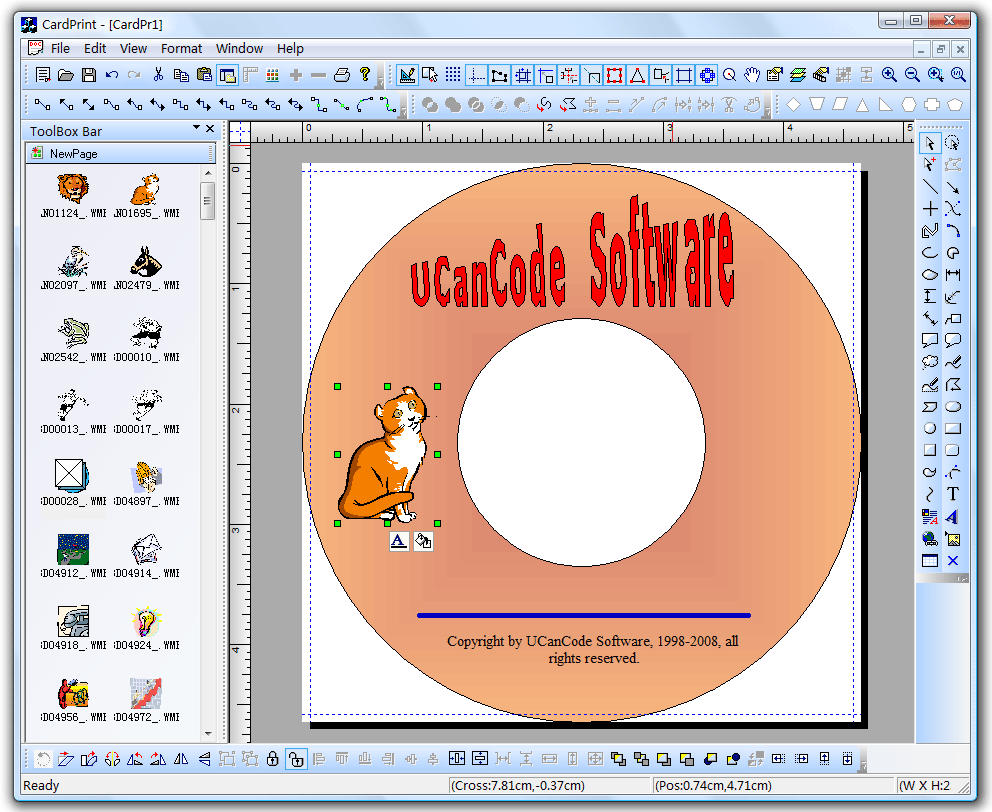
Figure 8: Allows
you to create flow charts, vector drawings, raster images and more
with the ability to include hyperlinks and various shading and
coloring effects. You can group objects together, include images and
text, link them together and apply custom drawing effects to create
charts similar to Microsoft Visio, Adobe Illustrator, and CorelDRAW.
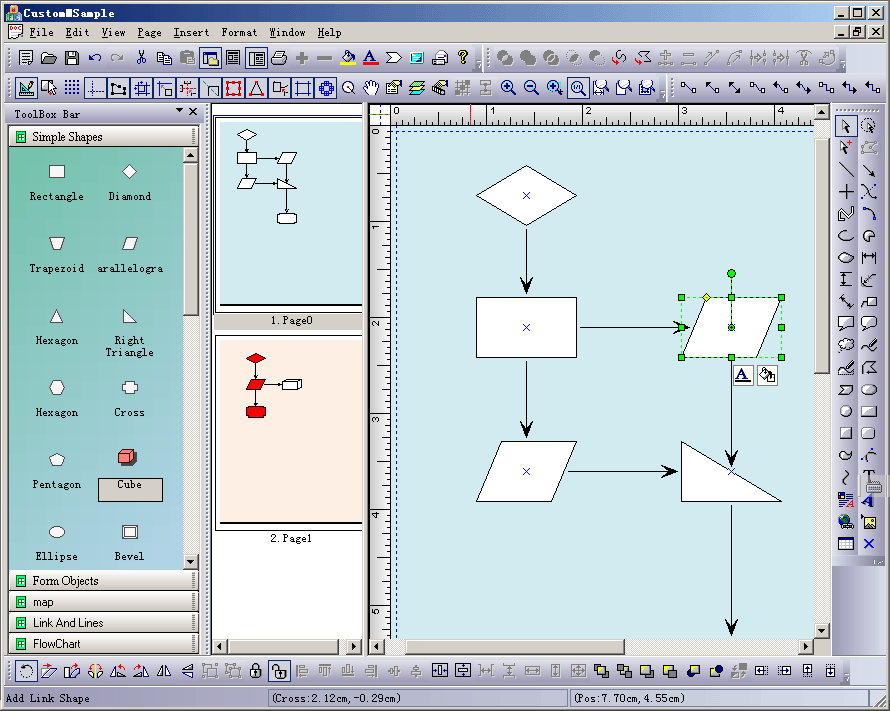
Figure 9: Next, let's create some
custom symbols with the ShapeDesigner, The ShapeDesigner
is built with the XD++ MFC Class library. Most of the functionality
in the ShapeDesigner is part of the XD++ MFC Class
library and is available to your applications.
The quickest, easiest Flow/Diagramming
source code kit to create:
|
|
|
XD++
is a robust, feature-rich library.
Major Features:
-
Written and 100% compatible
with MFC. Ships with full C++
source code and sample.
-
Single page, or multi page
application
-
Drag-drop components
-
User Custom properties
-
Moving component
-
Drawing
Bezier line, Curve Line
-
Sizing component
-
Align, Spacing, and Ordering
component
-
Horz ruler ,Vert ruler
-
Grid, Snap to grid
-
Print or export to image
-
Sizing back component
-
Unlimited undo redo
-
Print and Print View
-
Export to image file
-
Draw line, Rectangle, Ellipse,
Bezier Line
-
Create Complex Objects
-
Add text and edit text
-
Group and Ungroup
-
Lock and Unlock
-
Create Link
-
Zooming
-
OLE Support
-
With ClassWizard, you can easy
create a form based application without write a single line
code.
-
Drop down Undo/Redo List Wnd
like Visual Studio.
-
... ...
New features:
- Intergration with visual studio
- Wizard similar to AppWizard in Visual
C++
- Customize setting when
installing
- Full documents with 6 x 24
support
- More examples
- Full Visual C++.NET support
- Auto split print page.
- Create ports with shapedesigner
application.
- Undo/Redo Drop List Control
- ActiveX diagram
component,
- flowchart
- workflow diagram control
- Diagram Component
- diagram .NET component
- C++ GUI ToolKit
Screen shots:
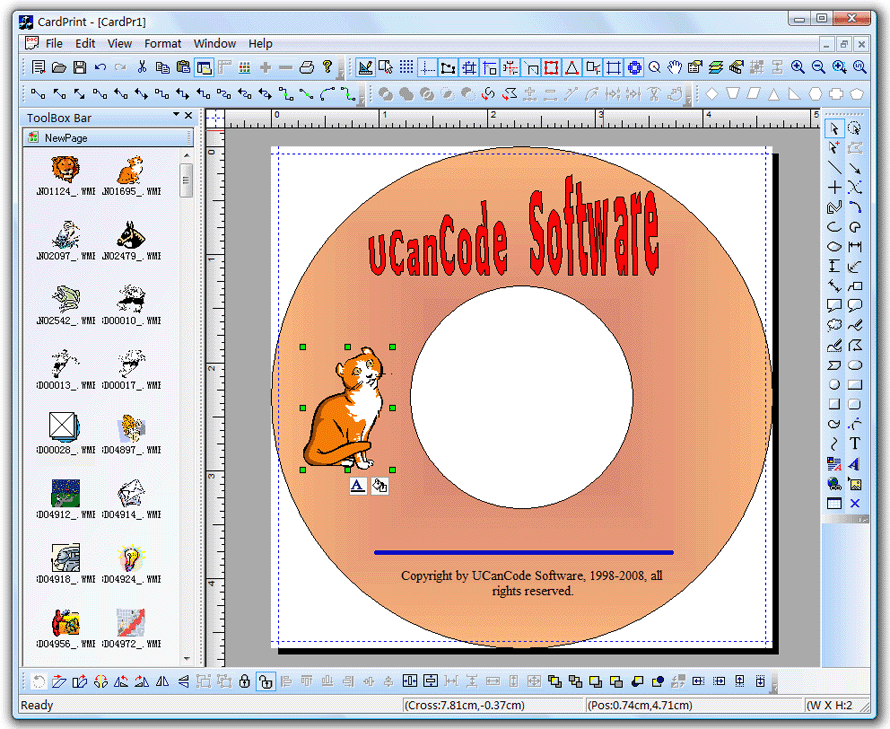

| A
free evaluation
kit
is available for
download. The evaluation kit gives you the
header files, and object library (.LIB),
samples and documentation. This is a real
try-before-you-buy kit that none of our
competition offers. Click
here
to download. |
 Documentation:
- Full User's Guide that provides
tucancode.net-oriented procedures.
- Full Reference that fully
documents each library class and its member functions.
- All documentation is provided in
both a help file and a printed manual.
Library source code:
Complete source code included, for
use in debugging an application or customizing the library.
Development environments:
Required:
Visual Studio 6.0,
Visual Studio.NET 2013, Visual
Studio.NET 2015, Visual
Studio.NET 2017,
Visual Studio 2019, Visual
Studio 2025
Recommended:
Microsoft Foundation
Classes (MFC)
Target platforms
Windows 95/98/Me
Windows NT/2000/XP/2003
Learn
more about
XD++ MFC Library
Professional Edition by click
here!
Learn
more about
UCCDraw ActiveX
Control by click
here!
Contact UCanCode Software
To buy the source code or learn more about with:
More about Product
Information:
[ First | Prev |
Next
|
Last ]
top
|






 E-XD++Visual
C++/ MFC Products
E-XD++Visual
C++/ MFC Products