YOU CAN CODE!


With The Case Of UCanCode.net  Release The Power OF  Visual C++ !   HomeProducts | PurchaseSupport | Downloads  
XD++ Library
DocVizor
TFC Library
Free Products
Technical Support
UCanCode.net


Get Ready to Unleash the Power of UCanCode .NET

E-XD++ Enterprise Edition -- Product Information


15. Grid line

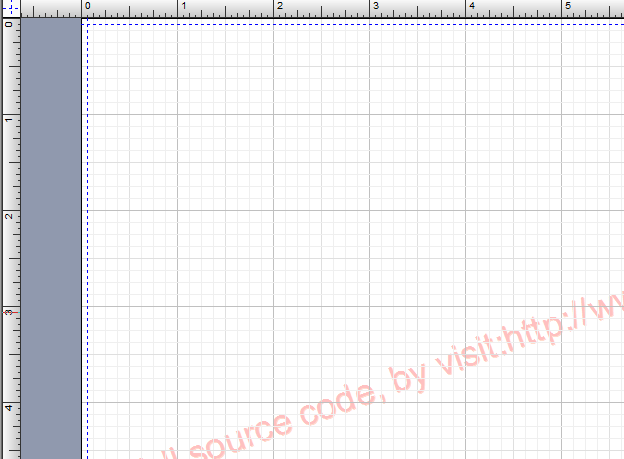
Grid line is used to adjust shape's position on canvas. E-XD++ supports 3 different styles for grid line by default:

enum FO_GRIDLINE_TYPE
{
GRID_CROSSLINE = 0, // Cross grid line
GRID_DOT, // Dot grid line.
GRID_RECTANGLE // Rectangle grid line.
};

You can switch from one style to another by using "void SetGridLineType(const FO_GRIDLINE_TYPE nType);". The following sample uses the style GRID_CROSSLINE.

More styles for grid line can be defined by overwriting class CFOBackShape:

// Draw the grid.
// pDC -- pointer of CDC.
// rect -- position of page.
// rcClip -- Clip rectangle for drawing.
virtual void OnDrawGrid(CDC *pDC,CRect &rect,const CRect &rcClip);


Copyright ?1998-2005 UCanCode.Net Software , all rights reserved.
Other product and company names herein may be the trademarks of their respective owners.

Please direct your questions or comments to webmaster@ucancode.net