|
3. UCanCode ActiveX ships a Visio
2007 like toolbox window.
With
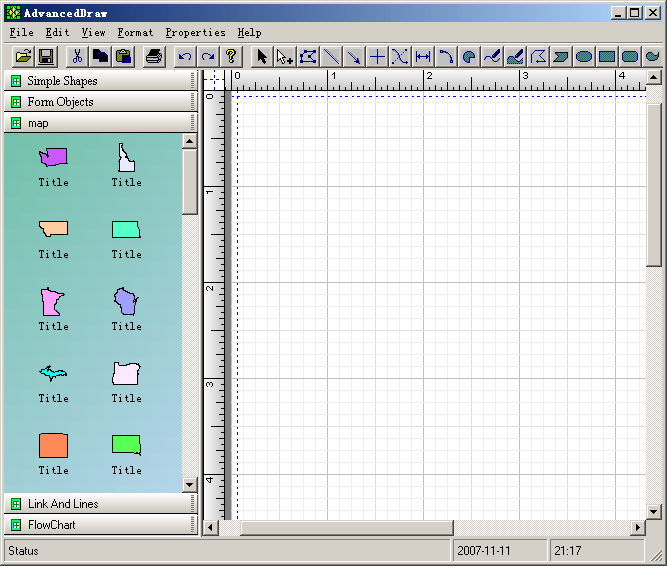
UCanCode ActiveX Control, you will get a Visio 2007 like
toolbox window at
the left side, you can place any kind of basic shapes or composite shapes
that designed with shape designer in this toolbox window, then you can drag and drop the select
shape to the canvas. The
toolbox window supports multiple pages, it means you can add as many pages
as you want, you can also remove any pages that is active, as below:
This
toolbox window also supports other two list style, all of them have
scrollbars, as below: 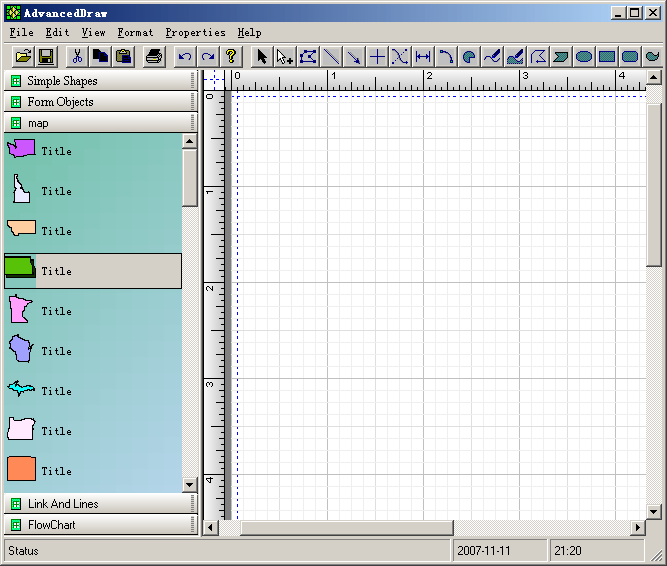
When
you drag and drop any composite shape into this toolbox window, a style
icon will be automatic generated, it will be showed as the default icon of
this composite shape. And if you want to change it, you can use the
following window to redesign it:
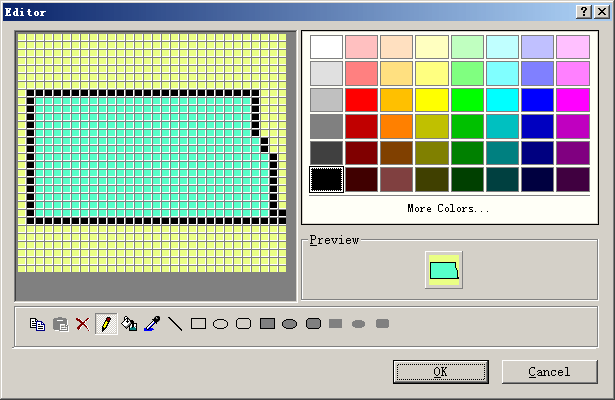
You
can also load an exist icon file by right click on the toolbox item.
 1.
Over 130 Default shapes that can be used for building your own
application. 1.
Over 130 Default shapes that can be used for building your own
application.
2.
With shape designer you can create any kind of composite shapes that
supports drag and drop.
3.
UCanCode ActiveX ships a Visio 2007 like toolbox window.
4.
UCanCode ActiveX has the world leading drawing, editing , layout features.
5.
UCanCode ActiveX supports full control of printing for any drawing.
6.
Export any drawing to emf, bitmap or wmf files.
7.
Add as many connect points to any nodes.
8.
Create links between two connect points (Port).
9.
Navigate the links or nodes that linked.
10.
Multiple records Label print component or Report print.
11.
Adding, Changing or setting User Property Value.
12.
Running time and Design Mode.
13.
Why you need UCanCode ActiveX Component?
14.
Download
UCanCode ActiveX Control before you buy?
|






 E-XD++Visual
C++/ MFC Products
E-XD++Visual
C++/ MFC Products


